

Skip to content

Media Revive

Recover deleted photos, videos and files, privately.

Media Revive scans your device for deleted and lost media, shows you exactly where it will look, and restores what it finds. Scanning, previews and recovery all happen on the device, so your files are never uploaded.

  • Coming soon to Google Play
  • Coming soon to App Store
  • On-device scanning
  • No uploads
  • No sign-up
  • No ads
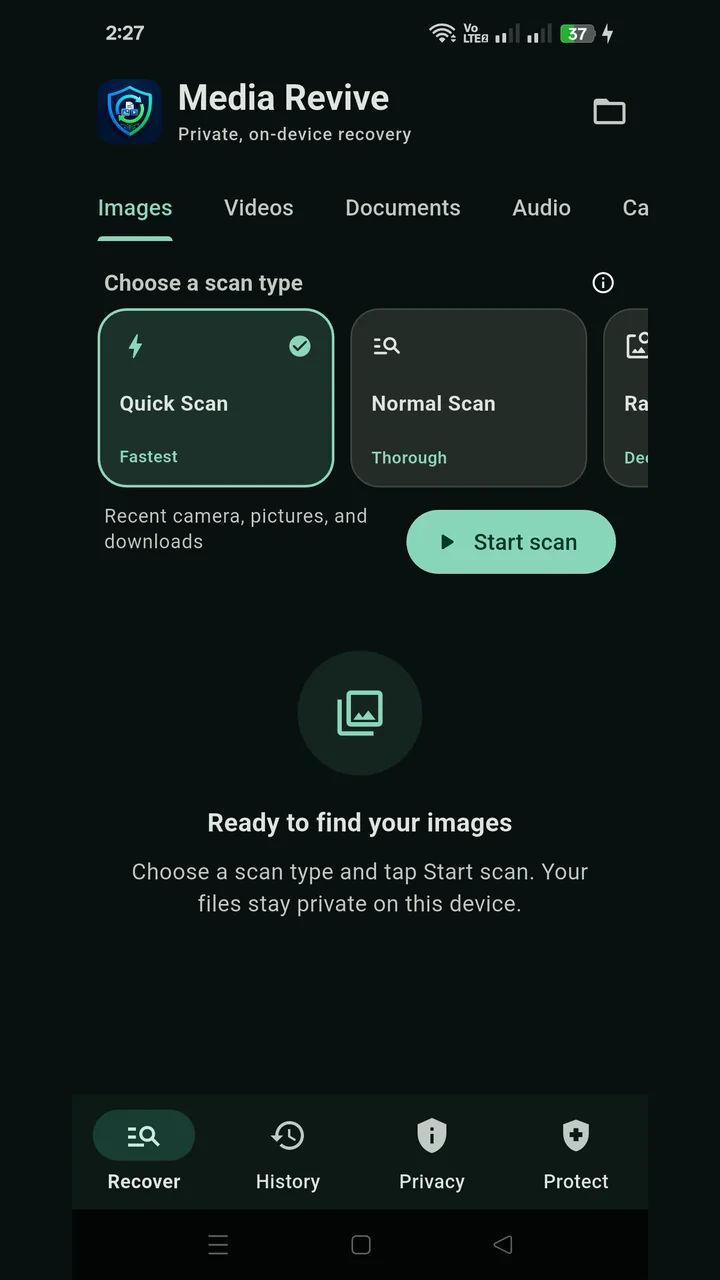
Media Revive recover screen with Quick, Normal and deep scan options for images

Choose how deep to look

Start with a Quick Scan of your recent camera, pictures and downloads folders, switch to a Normal Scan for a thorough search, or run a deep scan when you need to dig further.

  • Images, videos, documents, audio and more
  • Preview what was found before restoring
  • Partial or corrupt files are marked so you know what to expect
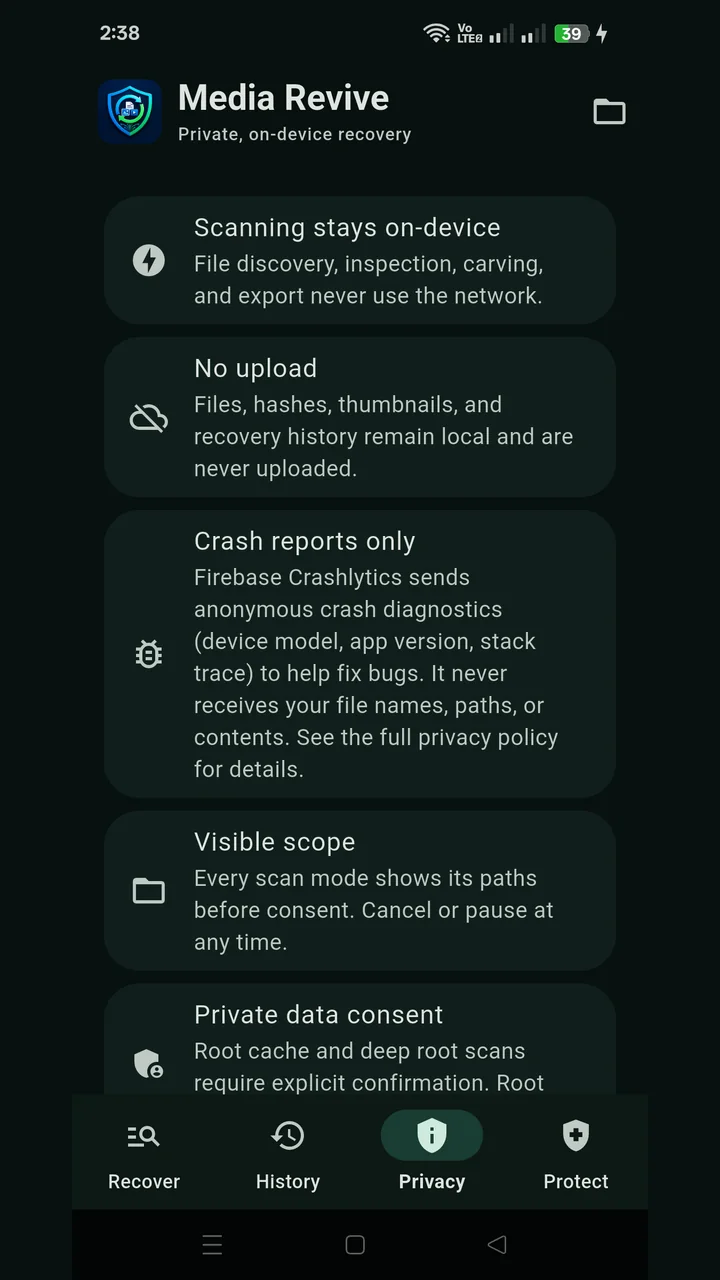
Media Revive privacy screen explaining on-device scanning and no uploads

Private by design

File discovery, inspection, recovery and export never use the network. Files, hashes, thumbnails and your recovery history stay on the device.

  • Every scan shows its folders before you agree to it
  • Pause or cancel any scan at any time
  • Root-level scans ask for your confirmation first
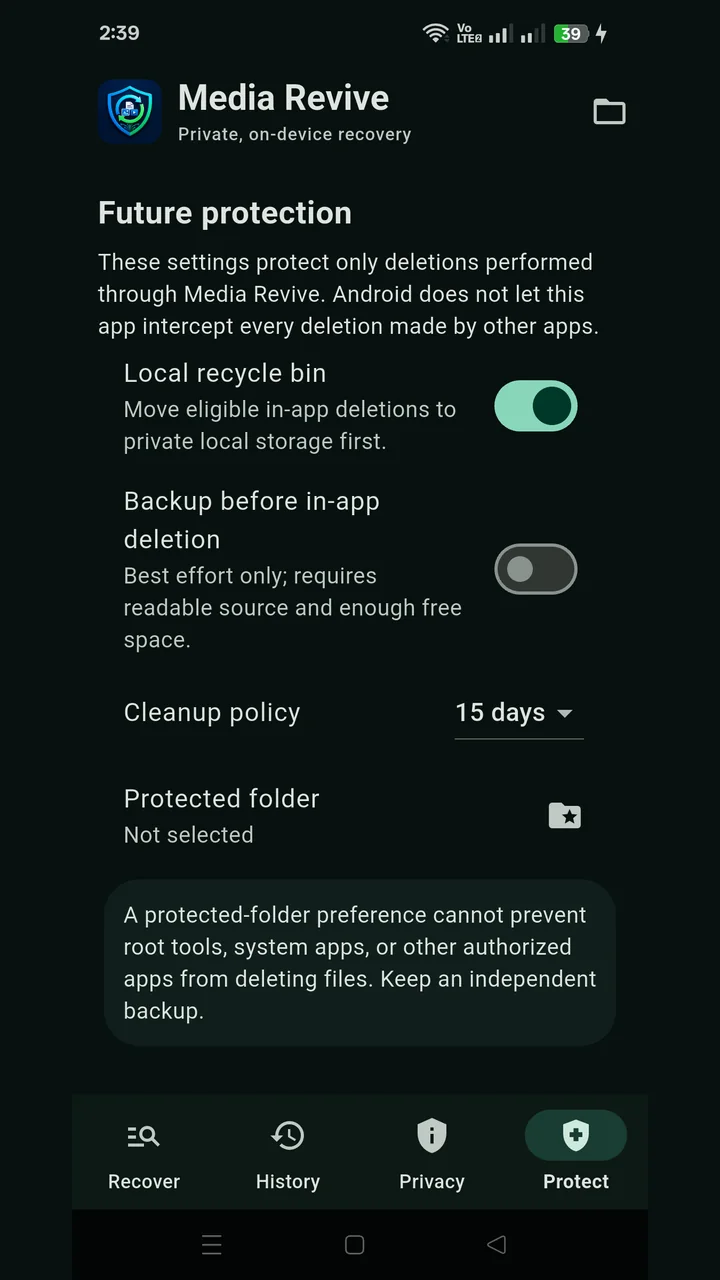
Media Revive future protection settings with recycle bin and cleanup policy

Protect what you delete next

Turn on the local recycle bin and files you delete in Media Revive are kept safely for a while before they are gone for good.

  • Local recycle bin for in-app deletions
  • Optional backup before deleting
  • Automatic cleanup after the number of days you choose
  • Mark a protected folder
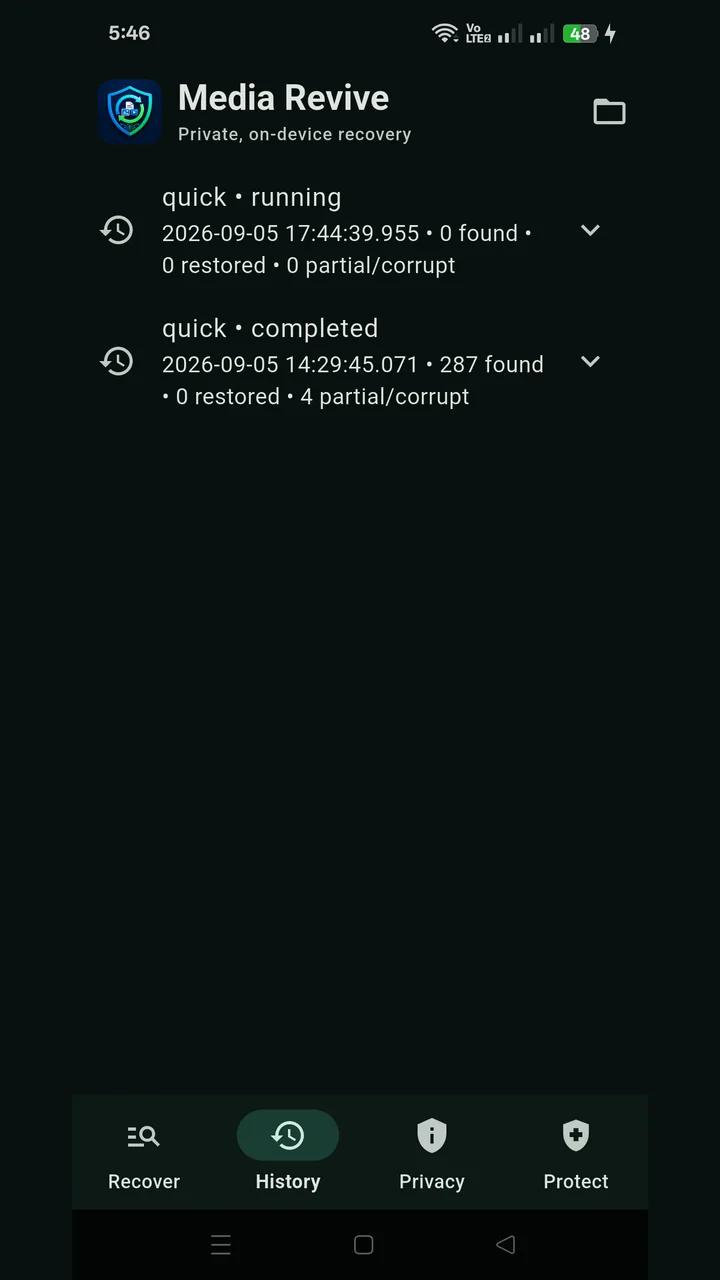
Media Revive history screen listing completed scans

Every scan on record

History keeps a log of each scan with how many files were found, restored, or only partly recoverable, so you can pick up where you left off.

  • Found, restored and partial counts per scan
  • Expand any scan to see its details

Everything in Media Revive

  • Quick, Normal and deep scans
  • Images, videos, documents and audio
  • Preview before you restore
  • Partial and corrupt file detection
  • Scan history
  • Local recycle bin
  • Backup before in-app deletion
  • Automatic cleanup policy
  • Protected folder
  • Root scans on rooted Android devices, with consent

Questions people ask

Does Media Revive upload my files?

No. Scanning, previews and recovery run entirely on your device. The app only sends anonymous crash reports and usage statistics through Firebase to help us fix bugs, and these never include your files, file names or folder paths.

Can it recover every deleted file?

No recovery app can promise that. Once new data overwrites a deleted file, only part of it may survive. Media Revive marks partial and corrupt results so you know what you are getting before you restore it.

Do I need to root my phone?

No. Quick and Normal scans work without root. On rooted Android devices, deeper scans of cache and system areas become available, and they only run after you confirm.

What does the recycle bin protect?

It protects files you delete inside Media Revive. Your phone does not let one app catch deletions made by other apps, so keep an independent backup of anything important.

Get Media Revive

Recover deleted photos, videos and files privately, with every scan running on your phone.

  • Coming soon to Google Play
  • Coming soon to App Store

Need help with the app? Contact support